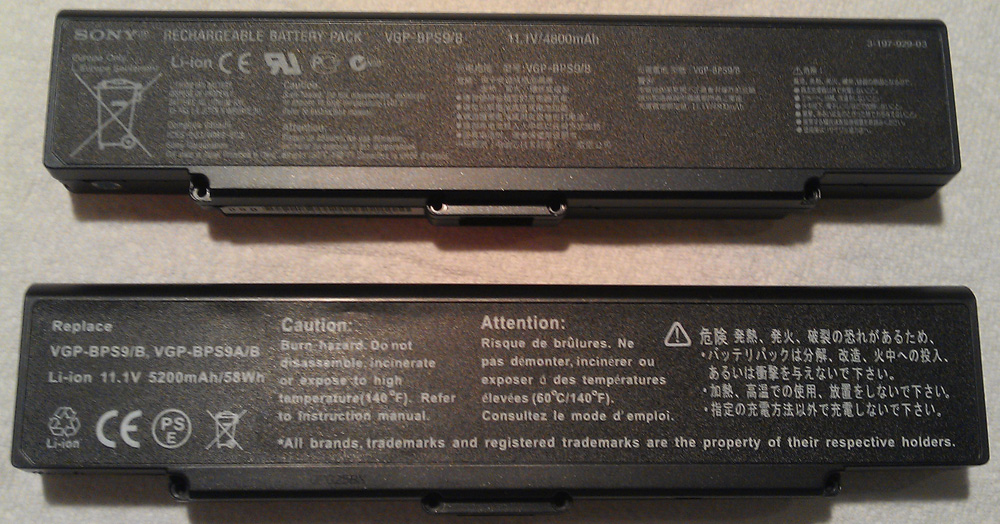
Recently the battery in my aging laptop (Sony Vaio VGN-NR498E) took a nose dive. This is to be expected after 4 years or so, so I was not too upset about it. What I am upset about, is the fact that Sony doesn’t seem to sell a genuine replacement for the battery. The original is a VGP-BPS9/B and the only “Sony” batteries I found online were from unreputable sources and cost around $150. I decided to take the battery apart and see if I could replace the cells directly, but in the process I had to break most of the battery connections and it did not seem trivial to replace them. After whining about it for a week I opted to buy a third party battery off Buy.com for $59.
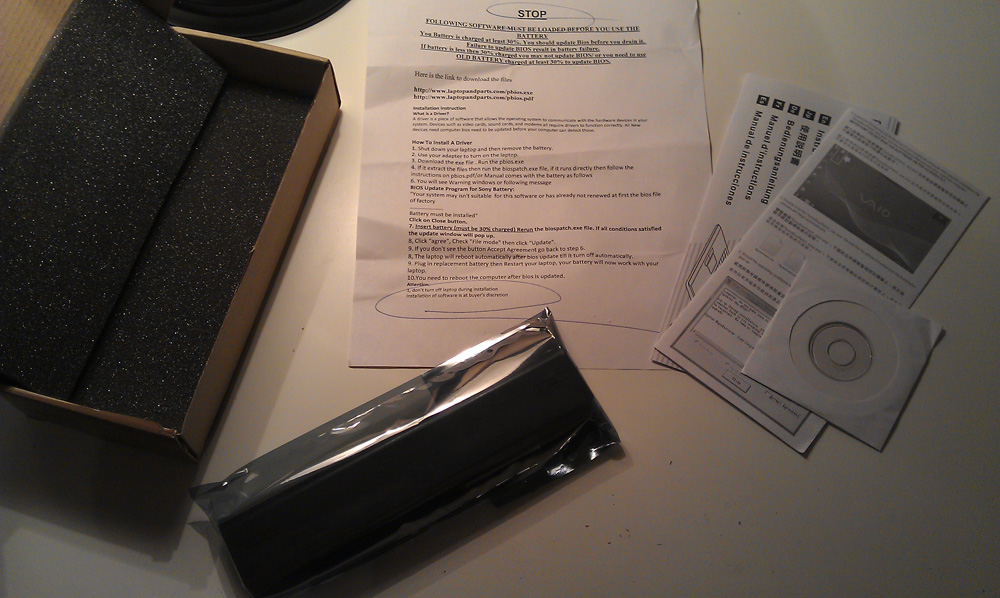
I received the shipment within 5 days and inside I found the battery, a couple pages of instructions and a mini CD. There was also a written warning in poorly translated English stating that I needed to update the BIOS in order to use the battery. It was so poorly translated that I couldn’t even get a loose interpretation of some of the text. For example, “You’re system may isn’t suitable for this software or has already not renewed at first the bios file of factory” (side note: is it really that hard to get a fluent English-speaker to proof read your instructions?). Anyway, the instructions suggested that I may damage the battery and/or system if I didn’t update my BIOS before plugging in the battery, so I popped in the CD which presumably contained the update. The CD was blank. I ended up finding the necessary software on a site mentioned in their instructions, but the software gave me a vague warning that my BIOS was not supported and even after I forced the update the software crashed. At this point I gave up on bricking my laptop via a failed BIOS update and opted to plug it in and hope for the best. The battery showed about a 40% charge but the laptop said it was not charging it (I don’t haveSony’s anti third-party battery software installed). After much frustration and trying different combinations of removing and replacing the battery at different times, I decided to take the Steve approach and hack it
.
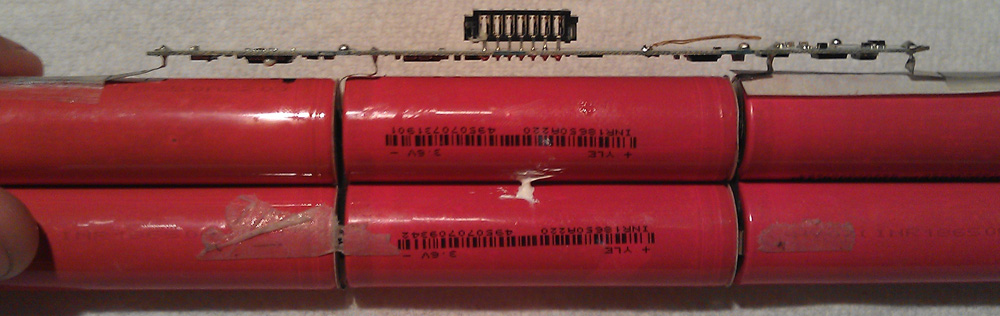
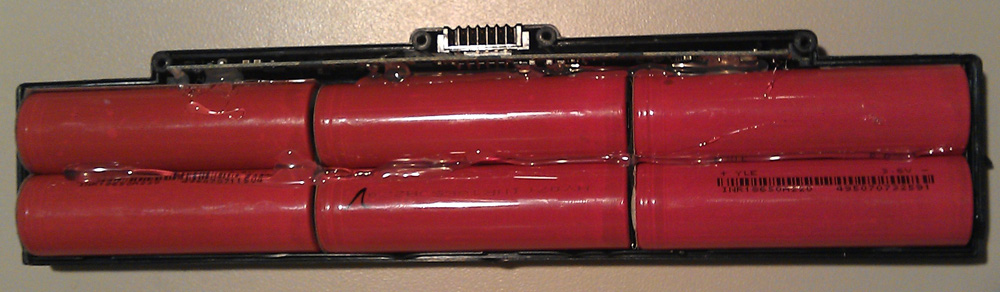
I had already taken my original battery apart and thrown the dead cells away, so I don’t have any pictures of it, but it looked almost exactly the same as the replacement: 6x 3.6V battery cells and a controller card. Batteries are nothing but a means of storing power, so the controller must be responsible for communicating things like battery capacity and charging status. I decided to transplant the new battery cells onto the old Sony controller and give it a shot; in short, it worked! Here’s the process in pictures.
Step 1: Take batteries apart – remove 4 screws and pry top cover off, then gently pry out the batteries and controller card.
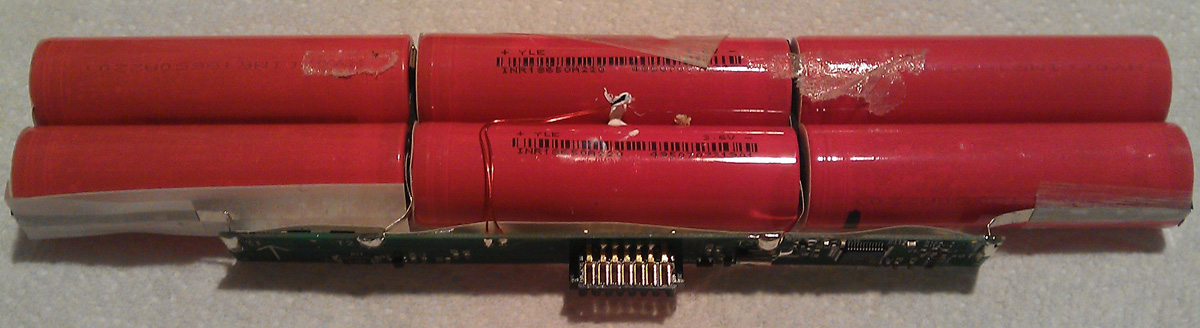
Step 2: Remove the controller card from the batteries by desoldering the four metal tabs that connect to the different battery junctions. I used desoldering wick, flux and a hot soldering iron.
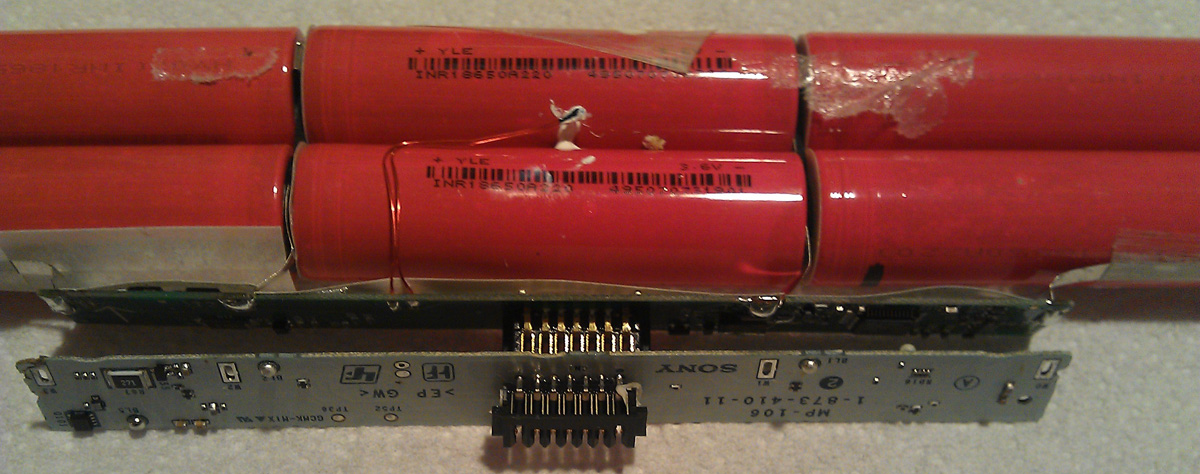
Step 3: Solder the battery leads to the new controller.
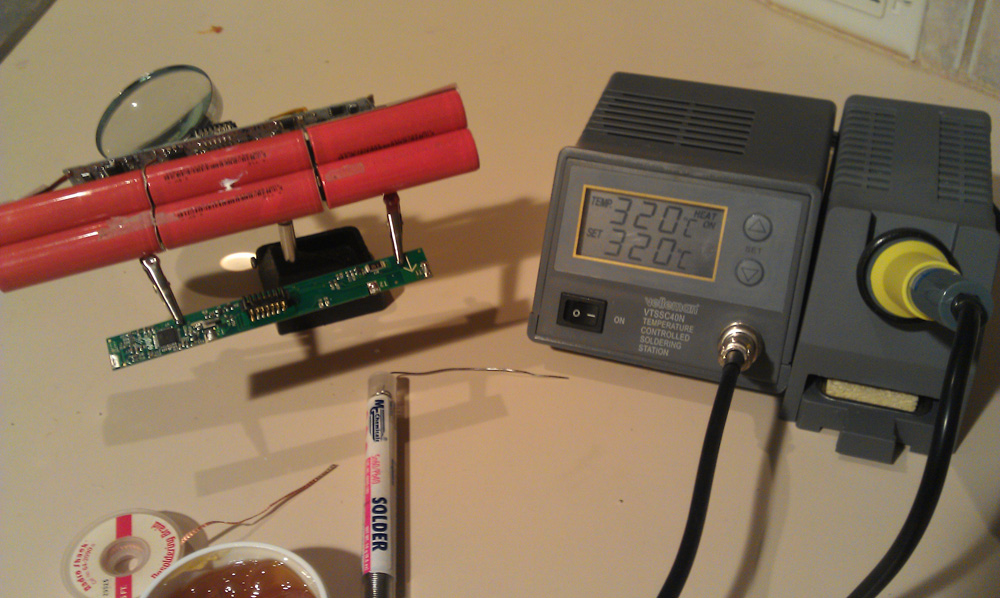
Step 4: Reassemble the battery and secure it with some hot glue.
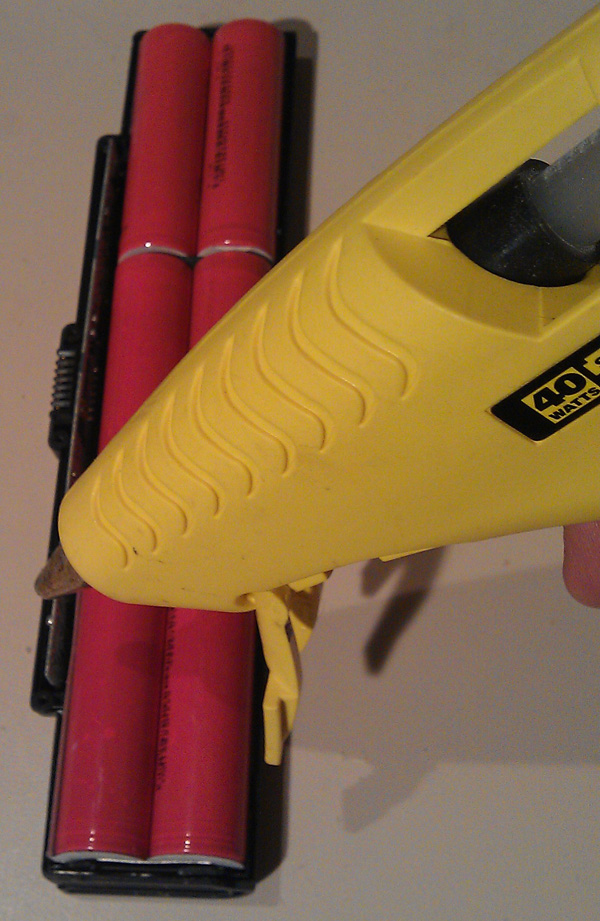
Step 5: Once the top cover is replaced, put the battery back in the computer – you’re done!
For best results you will also need to recalibrate the battery by letting it charge completely, then unplugging the power cable and let the battery discharge until it’s completely dead. I let my new battery charge overnight, then discharged it in the morning. Incredibly, the new battery kept the laptop alive for over 3 hours – a significant improvement over the 5-10 minutes I was getting before!
If you are going to attempt this, you should know that there is a very real possibility that things could go horribly wrong if, for example, you wired the battery pack in backwards. You could destroy the charging circuit in your laptop or even melt it down into a heap of plastic and potentially burn down your house in the process. That having been said, if you know what you’re doing, this is a great way to recover an investment in a low-grade battery!
« Tera-WURFL 2.1.4 Finally Released! HAProxy 1.4.15 for Ubuntu 11.04 »


“You’re system may isn’t suitable for this software or has already not renewed at first the bios file of factory”…..Two words…. Billy…Shaw.
LOL – so true!
Steve, I’m about to embark on this, but have read some warnings that the internal eeprom cmos may get erased when voltage is lost by disconnecting the 18650s from the board. It seems as if this didn’t happen in your case. Can you confirm?
Thanks in advance…Eric
Hi Eric, from an electronics standpoint it would be very difficult to create a circuit that erased an eeprom on a voltage drop since eeprom does not rely on power to retain its memory. Furthermore, leaving a battery discharged for any length of time would probably result in the voltage dropping past the point of regulation and ending up as 0 Volts on the controller anyway. Regardless, I did not see a problem and actually had the controller off the battery for 4-5 days while I waited for the new battery to arrive. The battery life calculation was way off before I calibrated the battery, showing 6 minutes remaining and lasting another 45, but after a full charge/discharge cycle it seems fine. I discharged my battery completely by going into the BIOS after Windows shutdown and letting it sit there until it died. Now I’ve got 3+ hours of life
.
On a side note, the thermistor that detects the temperature of the battery broke off when I pried the controller out, but I re-soldered it on and it’s ok.
Yes…thanks for confirming my understanding about eeprom memory storage…I found only 1 hit on the web regarding this, but the English used was similar to your installation manual
.
Now, if they only made a chemical which dissolves that silicone Sony used to secure the battery, I would be even happier!
Thanks much for the quick reply.
Eric
I know! That silicone is super hard – I broke all four battery leads just removing it! I was able to pry the card from either and with a flat screwdriver, but it did make significant impressions on either side of the controller. You can see the marks the screwdriver made in some of the pictures
Did the same thing…
One more question, if you don’t mind. When you rewired the 2 cells in parallel, did you do anything to balance the voltage, or did you just pick the cells that had the closest voltage ratings? I’m starting with brand new 18650s, and there is no circuit included with this board to balance the 3 parallel sets.
Eric
Hey Eric, I’m answering in a new thread so it’s more readable. I didn’t check the individual cells since they were all spot-welded together, but the 3 sets of 2 batteries each read right around 3.6v, which is correct for the parallel sets. If your batteries are quite different, you should probably solder them all up as is and discharge them complete first, then give them a fresh charge so they are more balanced. I noticed while charging that the first set of 2 batteries closest to the positive side was noticeably warmer than the other sets, suggesting improper balance or an individual-set charging method or something.
thanks much.
Schöner Artikel, da werd ich wohl gleich mal nen Bookmark anlegen.
I just did the same thing. Found a bat pack on ebay for $41.00 with free shipping. Pulled the batteries out of it and soldered to my security board. I left the my board in tack. Did not try to pry up. Afraid I was going to break something on the board. I charged to 100%. I am now on my first discharge cycle. Have been running on battery for a full 2.5 hours. Software reports another 30 minutes left. beats the crap out of 15 minutes I was getting before. I think it will get a little better after I recycle a bit. I priced the cells and with shipping it was real close to the same price as a complete bat pak with free shipping. This really works, but be careful. Lay everything out and observe polarity. You could definitely cause yourself a bad day.
Nice work Brian!
Hello Steve, I have 2 laptops that use the bps9 battery. I took apart the pack that was not recognized and found 2 cells shorted. Anyway, I broke the two leads that come out of the controller at the middle, near the charging port. I wonder if these are used solely for the purpose of connecting each pair of cells to the next one or serve some balancing function between pairs.
BTW what was the capacity of the chinese battery you disassembled?
thanks
The inter cell-array connections are used for charging the cells, Lithium Ion and Lipo batteries must be charged individually or in parralel pairs only, never charged accross the whole array as some will take more current than others, charge quicker, over charge and finally explode while the charger still thinks the array needs more juice. I have replaced the controller from an original 6 cell array onto a 9 cell array with pleasing results. Bear in mind that the temperature sensor only measures at best one of the centre batteries so you could cook the rest of the array without tripping the sensor if you try to charge other than through the control circuitry.
Thanks for this posting. I was able to rebuild my Sony Vaio laptop battery using the information here. It worked and now my laptop is Vaio-ble again. THANKS!
I’m glad you found it helpful! Also, great pun btw
Hi, Steve. I tried rebuilding my Vaio VGP-BPS9 battery pack with new high-performance battery cells. I removed the original ones and soldered new 3800 mAh cells into original sony casing and securiy board. Now my laptop recognises the battery and it shows when it charges. I charged it for a full day and now i tried to disscharge it complitelly and all i can get are 20mins of authonimous running.
Do you maybe know what could have possibly went wrong?
Miha
Perhaps one of the leads that runs from the batteries to the controller are bad or one of the batteries is in backwards. If the battery is very hot while charging or discharging I would be very concerned.
Hi
Could you plz tell me how to open the plastic case of the battery, Its very hard and it seems, we must broke it.
I broke the case apart on my battery, and after finishing the repairs, I glued it back together.
Interesting post thanks for this! Do you know what each pin does on the controller? I have a busted mains power board that shorts on the pcb on the motherboard but still having a functional laptop with the battery and its remaining charge so looking to hack this to power mains through battery terminal….
Unfortunately I don’t
Very Helpful post. Worked like a charm.
Also, for anyone interested to know… I used the card from the original Vaio battery on an “expansion” type (double sized) replacement battery, and it is working fine.
Definitely tear apart the old battery pack first so you don’t destroy the new one trying to figure it out.
hi, these 3.6 v batteries appears to be similar in size to a standard AA battery. is this the case as there are many different sizes that come in 3.6 volts.
thank you
will
Thanks for the write up. I’m having a problem with mine not being detected on my laptop at all. Do you know if the two inner connections have to be connected to the battery pack? The ones I’m talking about are the two inner tabs, not the main outer tabs. Please email me back so I know when you reply. Thanks.
I took it back apart and now everything is connected properly, but my laptop still will not detect it at all. I think Eric may be correct about the EPROM. I wish I had a pinout for this thing. Seems I wasted $40.
Gavin…I’m still not sure. I got a couple of “dead” packs on Ebay, and am trying to replace one of them with a fresh set of batteries. I had to manufacture the leads out of copper foil, and when I was soldering the batteries onto the control board, I accidentally shorted one of the smds, since I wasn’t careful enough to not touch them. The laptop showed a charging light, but I can’t run without AC. I have one more dead soldier I amm going to try this on.
As far as the eprom idea, Steve makes sense, and if it was that, then his replacement would have failed as well.
Also, I have been trying to find info on the leads out as well…nearest I have found is that the + and – are on the outsides, but one of the ones in the middle needs to have some load on it to ground, in order to get a reading of any voltage.
Eric
Helllo i am Noman Ali i have problem with Sony Vaio Battery Model VGP-BPS22A
when i turn on my laptop battery light continuous blinking and when start a Windows give me a Error Battery critical then automatically hibernate
i opened a Battery checking with metter, cell is ok but in Battery circuit doesn,t show any power what can i do
i also buy a new battery laptops does not support that battery showing a same massage i also install a new windows.. same problem
Thank you very for a helpfull guide.
hi!
i have the same battery pack but i want to use it in a homemade portable speaker and i still want to be able to charge the batterys and i have read that if i remove the circuit the batterys can explode while charging. so i thought that i could conect some wires to the pins on the circuit but i cant get full voltage from the battery pack. do you know witch pins i have to connect to get the full power from the batterys or something else that i could do to do that?
NEVER EVER try to charge a Lithium Ion or Lipo array by applying output voltage accross the positive and negative terminals – fire WILL ensue. Always charge with the appropriate charger AND control board. The inter-array connections are used to charge the cells either individually or in parallel pairs so that as each set in the array is charged to capacity the controller stops charging that section but continues to charge the remainder of the array until all sections show max charge. Also bear in mind that the temperature sensor only measures one or two cells so you could overheat the others and cause a fire without even tripping the sensor.
Steve, I hope you dont mind me adding these bits to your blog!
Thanks for the great info!
did u make the circuit diagram of the cells ? where do + and – goes ?
if have kindly share it.
Unfortunately I did not, sorry
Positive is the end of the cell array where the cells are waisted down a little and is at the same end of the circuit board, negative is at the opposite end of the cell array and opposite end of the circuit board. The inter-cell connections are for charging only – only so on Steve’s “Finished Battery” picture positive is the left side, negative the right. Hope this helps!
hi
I tried your way by replacing the battery cells but now battery is not recognized….any suggestions???
thanks
Followed your instructions with a few additions noted on the Ubuntu forum here:
http://ubuntuforums.org/showthread.php?t=2071432
Having Linux on the laptop means that the BIOS patches that came with my battery are completely useless! Thanks for the fix. By the way I would not recommend using these batteries for anything other than their intended use, i.e. in a Vaio laptop, having seen what a Lithium Ion battery did to my friends model plane when not charged and discharged appropriately! The result was a small explosion followed by catastrophic fire…….
Hi, I’m about to do the procedure you explain here. My only fear is the following: my original Sony battery isn’t even recognized by my computer right now. When I plug the new battery it recognizes it, though it won’t charge (the weird thing is that Ubuntu monitor tells me it is “charging”, though nor the capacity neither the remaining charging time change). So, given that my original battery isn’t recognized, what are the chances that the controller card is dead and all this work will be in vain?
Well, it does sound like a bad situation all around, however, from a logical standpoint, I would still change it out because it is clear that the new battery will not charge, and I assume the old battery has no capacity, so it seems like neither battery is working right now. If you switch the controller, at least there is a chance that one battery will work
. Perhaps you should try to get Ubuntu to recognize your original battery first – that sounds like a linux issue to me.
Thanks for the reply. I don’t think it is a Linux issue, as the battery stopped being recognized in Windows too. I’ll try switching the controller as soon as I get a screwdriver in that Y shape.
hi,
i have stupidly thrown away old bat i check its not here i must have only kept the label for the compatability number,
anyone who has got their bat working have you installed the bios update as it is only ment to work with original sony bat unless tricked through the cd, also does anyone have a link to their an iso of their cd as mine is fucked and it seems the only way to get a laptop with no bat to install this bios update is running from cd, unless someone has the bios.wph file wich i would really appriciate.
thank you
charlie